
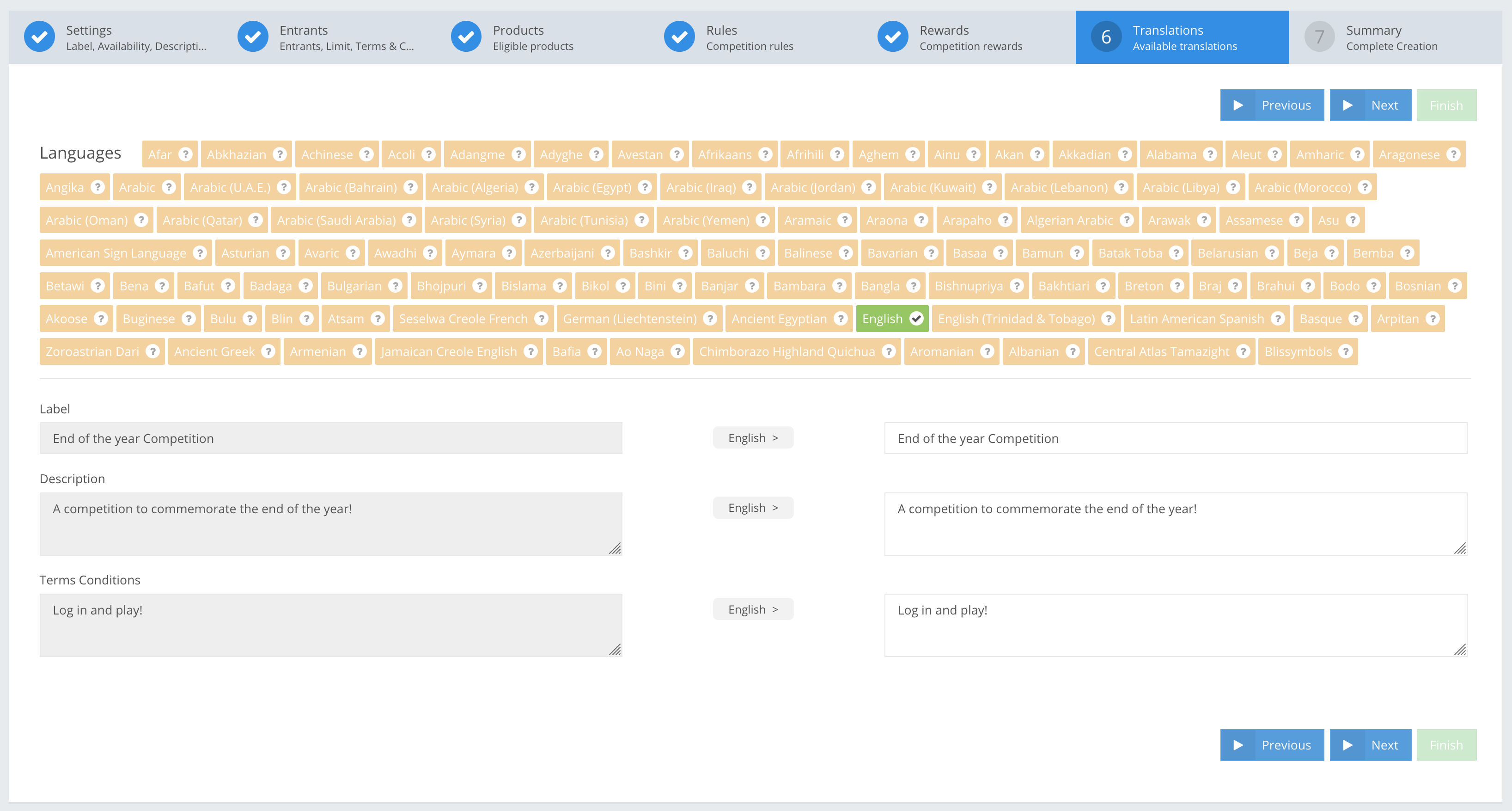
You can translate text for a Competition and Contest Label, Description and Terms and Conditions into a specific language. Go to Settings → Languages to add and store a new language. You can read more about how to add additional Languages here.
TRANSLATIONS fields
EXAMPLES
» Languages ObjectOptional
| Select languages needed for translating your Competition and Contest Name, Description and Terms and Conditions. |
» Label StringOptional
| The translated Name of the Competition and Contest that players see. |
» Description StringOptional
| The translated Competition and Contest Description visible to players. |
» Terms Conditions StringOptional
| The translated Competition and Contest Terms and Conditions that players see in the leaderboard. |
APP Example:
| Languages | English |
| Name | End of the year Competition |
| Description | A competition to commemorate the end of the year! |
| Terms Conditions | Log in and play! |
API Example:
{
     "jsonClass": "Contest",
     ...
     "translations": {
          "en": [
               {
                    "jsonClass": "Translation",
                    "fieldName": "label",
                    "text": "End of the year Competition"
               },
               {
                    "jsonClass": "Translation",
                    "fieldName": "description",
                    "text": "A competition to commemorate the end of the year!"
               },
               {
                     "jsonClass": "Translation",
                    "fieldName": "termsConditions",
                    "text": "Log in and play!"
               }
               ]
          },
          "translatableFields": [
               "label",
               "description",
               "termsConditions"
          ],
...

}