
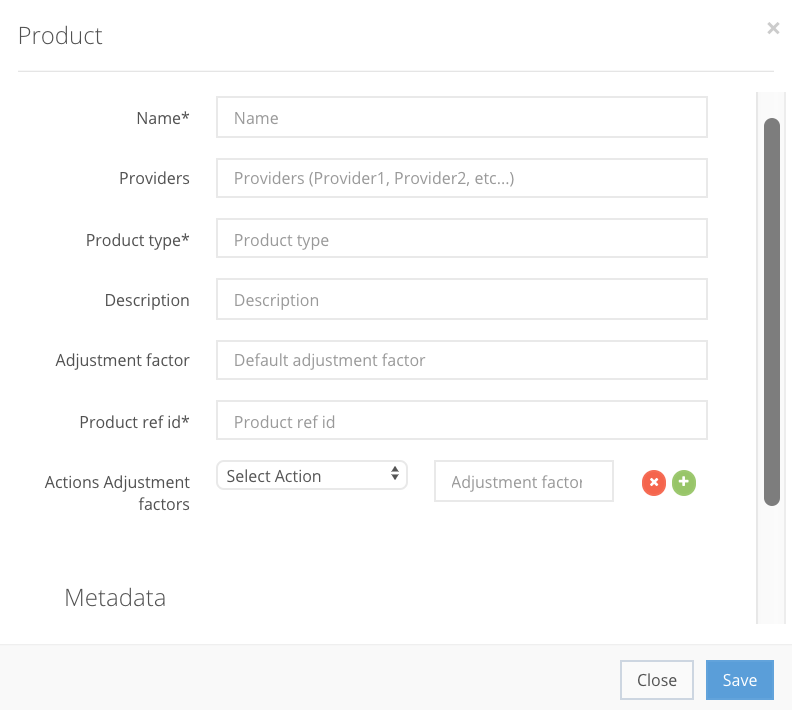
To create a Product in the CompetitionLabs Applications menu bar, press Add product and fill in all the product information in the pop-up window. Some fields are mandatory and others are optional. You can check which fields are mandatory in our API documentation of Product.
Product creation fields
Name StringMandatory |
Providers StringOptional| Name of the provider of the game. |
Product Type Array[String]Mandatory| The type of game, e.g. slots, role play, etc. |
Description StringOptional| Description of the product that players see. |
Adjustment factor IntegerMandatory| Adjusts events points value for a specific product, e.g. by multiplying the points. When a product is not in our system and a new product is sent to us via an event, it is automatically created in our system with an adjustment factor of 1, e.g. if the source value of an event is Bet 10 Euros and the adjustment factor is 1, the source value 10 will be converted to a points value of 10. |
Product ref id StringMandatory| A unique internal identifier for a product. |
Actions Adjustment factor DoubleOptional| A specified numerical value for a specific Action selected. The Action adjustment factor overwrites the Products adjustment factor. |
Metadata ObjectOptional| Optional client reference information in the Clients database. |

If all the steps were correct, the Product is created in the Products section as shown in the example below. After creation, use the action buttons to Preview, Edit or Remove the product from the list.
