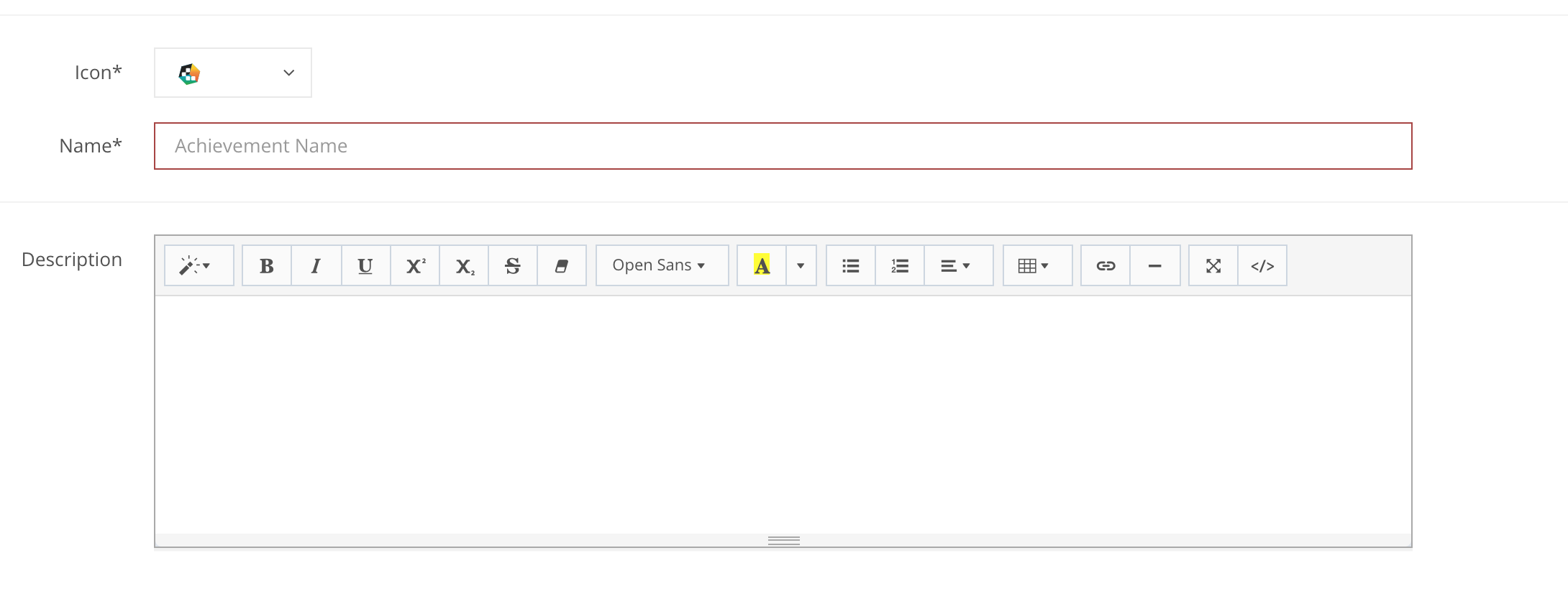
Step 1: Settings - the Settings Section provides basic information on the state, visual display icon, name, description, status of an achievement, some other fields like metadata, dynamic data fields etc. Some fields are mandatory, others are optional. The tutorial provides all the information needed to fill out all Achievement creation fields based on the category of the achievement selected.
SETTINGS fields
EXAMPLES
» Status Enum: Draft, LiveMandatory
The status of the Achievement.
|
» Icon StringMandatory
| An icon to visually display the Achievement |
» Name StringMandatory
| The name of the Achievement that a player sees when it is received. |
» Description StringOptional
| The Achievement description visible to players previewing an achievement. |
» Initial state Enum: 1, 0Mandatory
The state of the achievement:
|
» Type EnumMandatory
| Select the type of Achievement you want to create. Achievement types are grouped into categories because some Academy pages reference specific types. The Achievements Advance page does not apply type filters, so you can preview all available types there. Note: Dynamic data fields change according to the selected type and are configured under Settings → Data Fields. |
» Order Nr IntegerMandatory
| Sets the order number used to sort Achievements. |
» Category Array[Strings]Optional
| Assign one or more categories to organise Achievements using your own categorisation structure. |
» Metadata ObjectOptional
| Add custom metadata to extend the Achievement with information required by your implementation or promotional logic. |
APP Example:
| Status | Draft |
| Icon |  |
| Name | Welcome back |
| Description | Daily login |
| Initial state | Revealed |
API Example:
{
    "jsonClass": "Achievement",
    ...
    "achievementLiveStatus": "Draft",
    "icon": "07PbzGUBOmEkXOJnaWOs",
    "name": "Welcome back",
    "description": "Daily login",
    "initialState": 0,
    ...
}