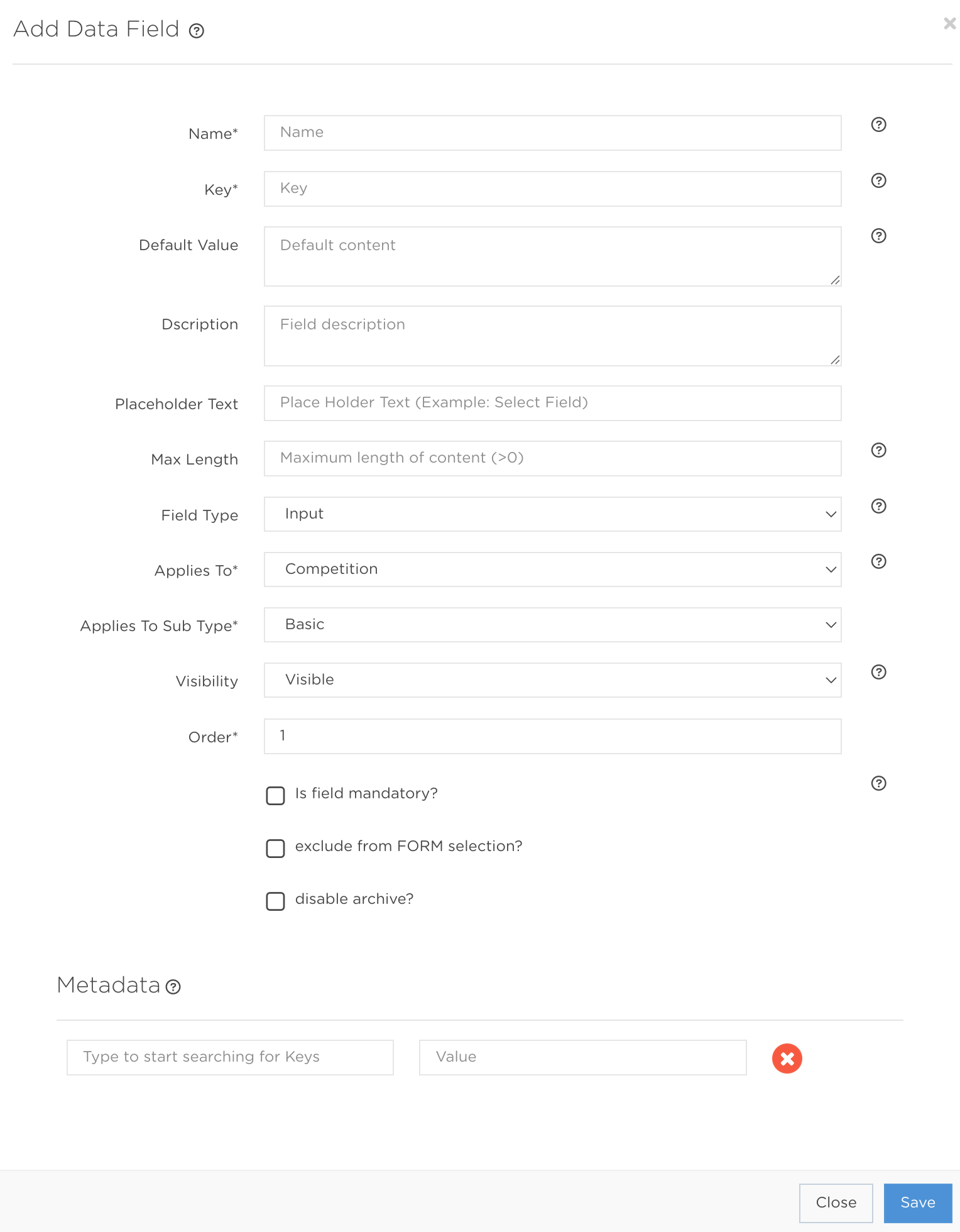
Press Add Data Field to open the creation form shown below. Complete the mandatory fields and add any optional information needed for your setup.
Data Field creation fields
Name* StringMandatory| The field label shown in the back office during Achievement or Tournament creation. |
Key* StringMandatory| The unique public API response key when Visibility is Visible. It cannot begin with a number. |
Default Value StringOptional| The value pre-filled during Achievement or Tournament creation. Leave empty to start blank. |
Description StringOptional| Dynamic helper text shown in the relevant Promotion form. |
Placeholder Text StringOptional| Placeholder text displayed before a value is entered. |
Max Length IntegerOptional| The maximum number of characters allowed. |
Field Type* EnumMandatory| Input is translatable single-line text. Textarea opens the translatable WYSIWYG editor. Web Asset is a translatable image selector. Boolean is a non-translatable yes/no field. Enum allows one predefined selection. Array Enum allows multiple predefined selections. |
Applies To* EnumMandatory| Achievement adds it to Achievements. Competition adds it to Tournament creation. Contest adds it only when editing a Contest afterwards. Other options support Reward, RnG Reward, and public member-message data. |
Applies To Sub Type* EnumMandatory| The subtype of the selected Promotion model. |
Visibility* EnumMandatory| Visible exposes the field through public APIs. Hidden prevents it from being returned. |
Order* IntegerMandatory| The order in which the Data Field appears in Promotion forms. |
Is field mandatory? BooleanOptional| Requires the field in the back office. |
Exclude from FORM selection? BooleanOptional| Pre-fills the field without displaying it in the Promotion form. |
Disable archive? BooleanOptional| Prevents deletion or archiving from the Data Fields page. |
Metadata ObjectOptionalCustom key and value pairs. Keys accept [a-z, A-Z, 0-9, _-], must be unique within the model, and support 100 characters. Values support 100 characters. |