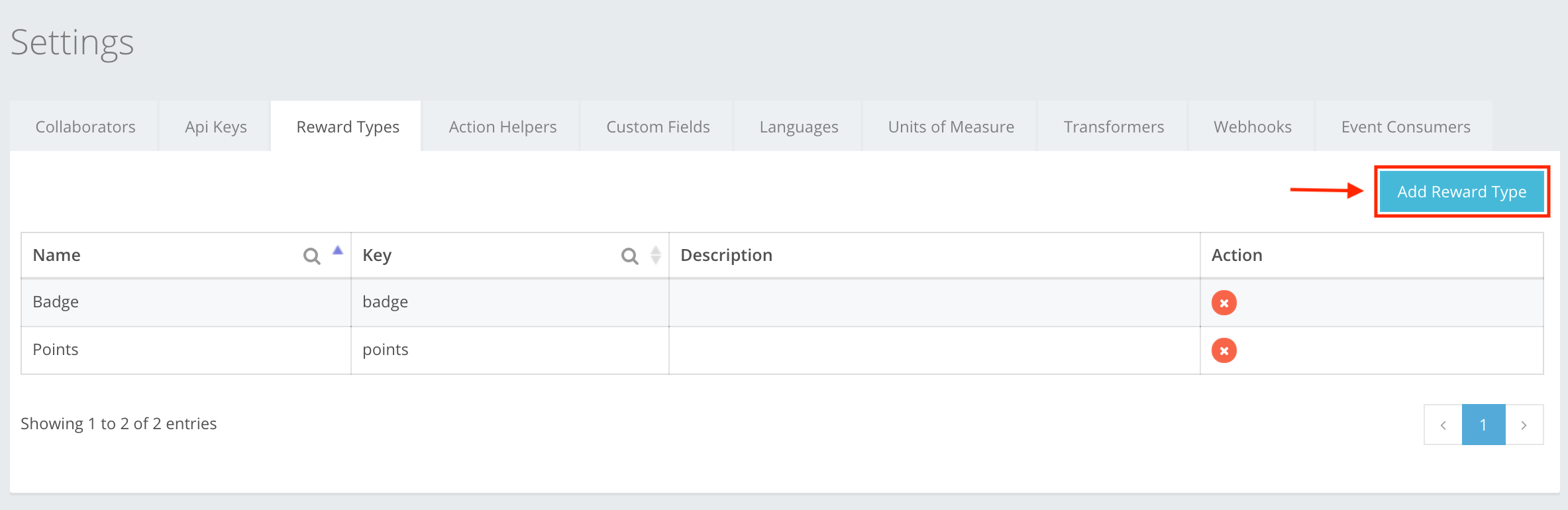
When creating a reward in an Achievement or Contest, there is a section where you need to enter the reward types that later on you will use in reward creation. To create a reward type, press Add Reward Type, as shown in the example. You can read about the Reward type creation at Settings -> Reward Types -> Reward Type creation, or here.
The icon buttons used in the Reward Types section are:
 Add Reward Type – lets you start creating the reward type.
 Save – lets you create the reward type that you were creating. If the information is filled out incorrectly, then you cannot create, and the incorrect information will be highlighted red.
 Close – cancels whatever you are creating. Information entered will be deleted without warning, and will not be restored!
 Edit – lets you edit the information of the created reward type.
 Delete – lets you delete the created reward type from the list.