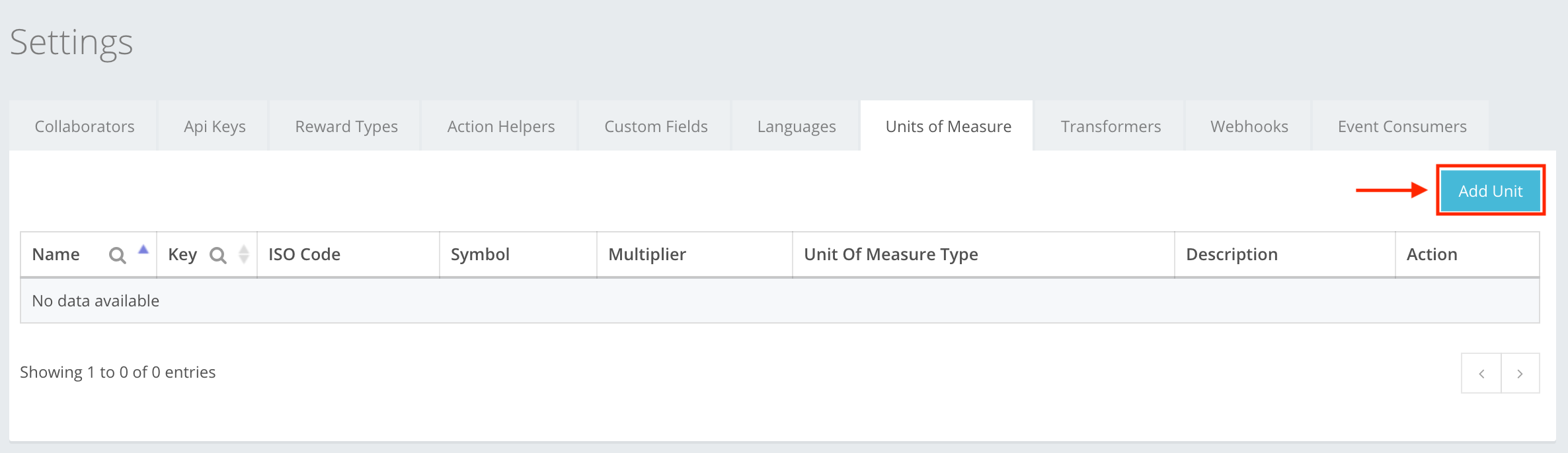
Units of measure is a type of unit that you create beforehand, that you can use later in creating an event from a list that you have made. To create a unit of measure, press Add Unit, as shown in the example. You can read about the Units of Measure creation at Settings -> Units of Measure -> Unit of Measure creation, or here.
The icon buttons used in the Units of Measure section are:
 Add Unit – lets you start creating the unit of measure.
 Add – lets you create the unit of measure that you were creating. If the information is filled out incorrectly, then you cannot create, and incorrect information will be highlighted red.
 Close – cancels whatever you are creating without warning. Information entered is deleted, will not be restored, and will need to be re-entered.
 Edit – lets you edit the information of the created unit of measure.
 Delete deletes the created unit of measure from the list. It can also be used to remove metadata that you have created in the creation section of unit of measure.