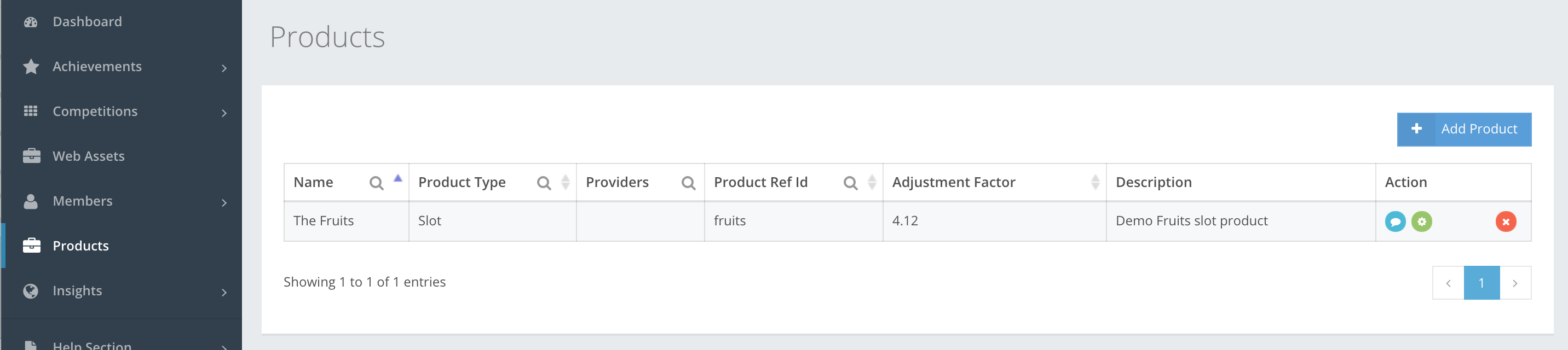
A game is an entity within a product vertical, e.g. a Slot Machine, Table Game, Betting Market, Poker Tournament, Role Playing Game or even a Wallet. If you go to CompetitionLabs platform Products, you will see a list of products you have created, as shown in the example.
The icon buttons used in the Products section are.
-
 Product preview – lets you preview the details of the product created.
  Edit – lets you edit the product you have created.
 Add – lets you add additional Action Adjustment factors to the list.
 Delete – lets you delete the product created. In the Products section you can also delete the Action adjustment factor and Metadata.
 Add Product – lets you start creating a product.
 Save – lets you save the product you have created. If information is filled out incorrectly, then you cannot save, and incorrect or missing information is highlighted in red.
 Close – cancels whatever you are creating. Information filled in will be deleted and will not be restored.