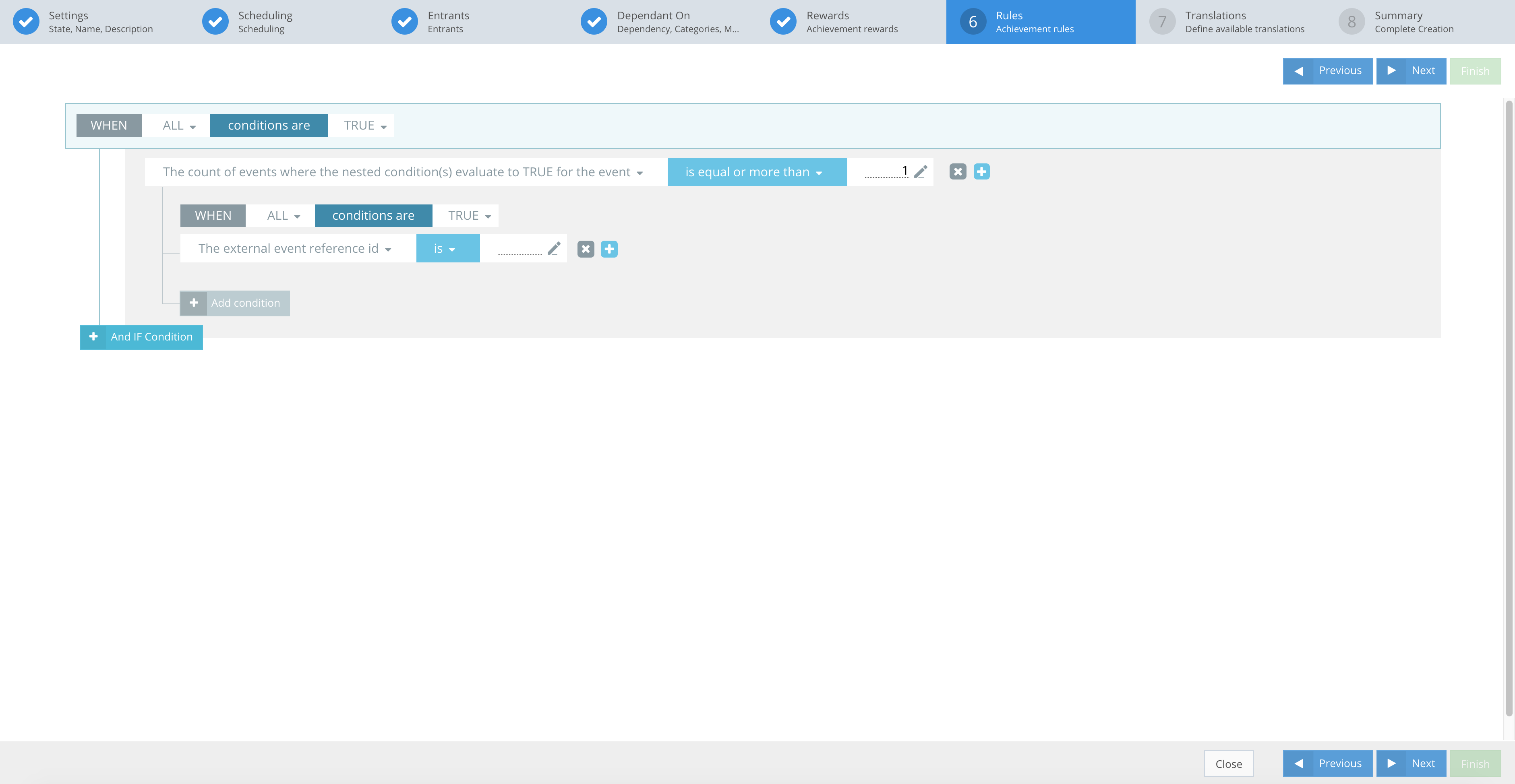
Achievement rules is where you define the fulfillment conditions of an Achievement. See an example of the CompetitionLabs rules system below.
RULES
EXAMPLES
The screenshot below shows a rule set. A ruleset contains:
- Main rule
- Sub rule
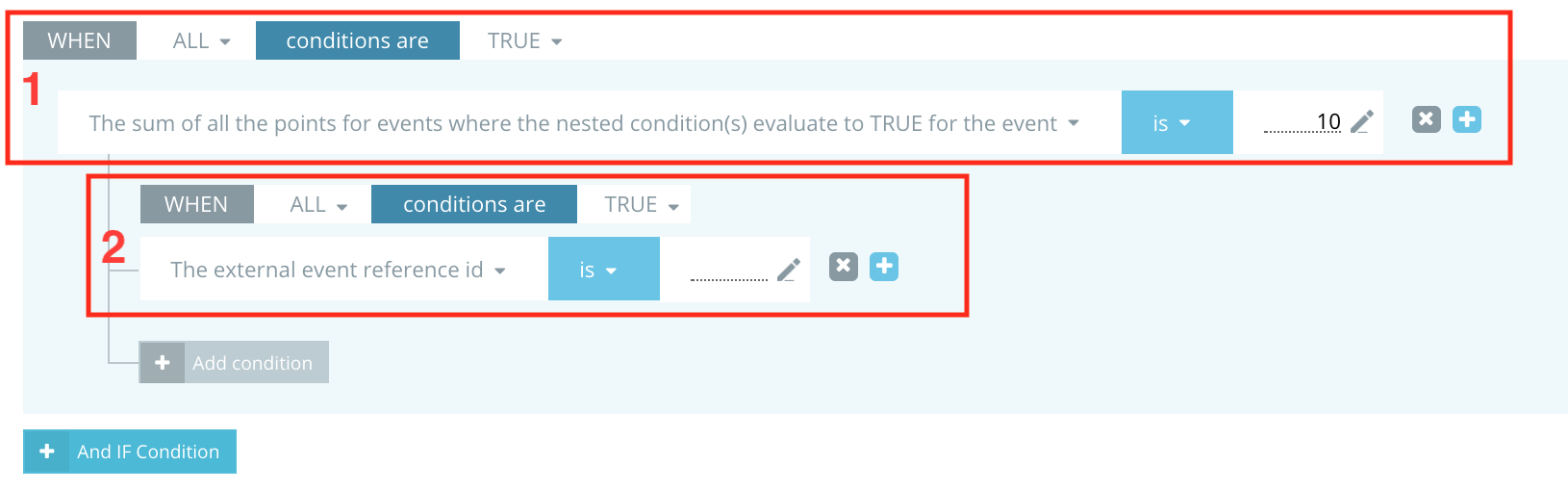
Sub-rules are optional and depend on the rule.
Each rule consists of:
- fact
- operator
- constant
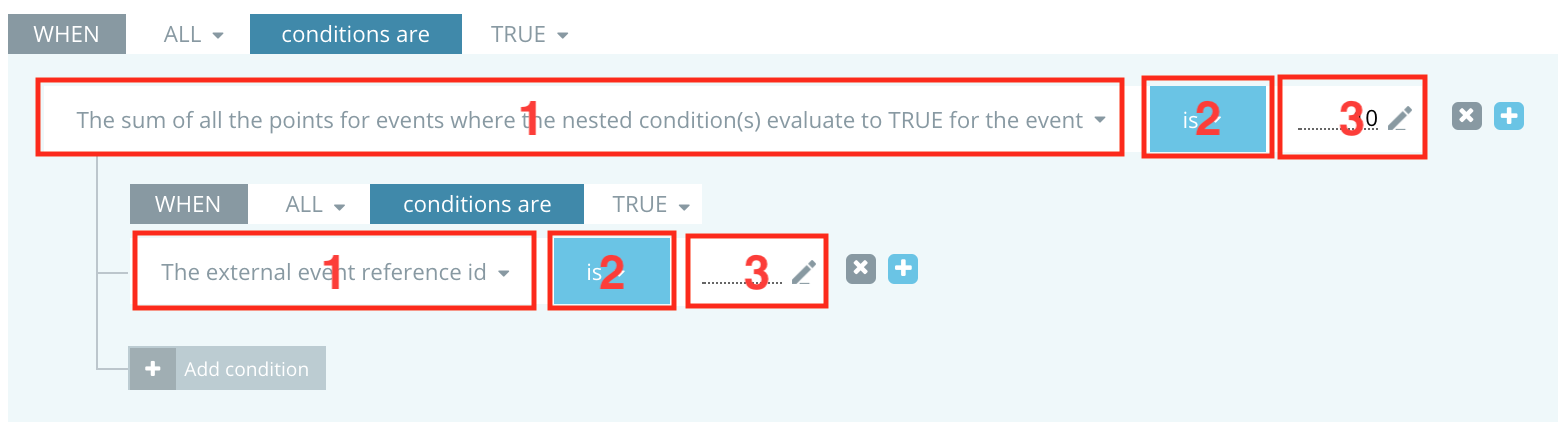
Each rule has properties, e.g. conditional match of All or Any, and evaluation criteria of True or False.


All or Any match conditions describe how rules interact. If the conditional match is set to All, then all rules are used to evaluate; if it is set to Any, then only one rule is used to evaluate. The first that matches all conditions will be triggered. This works on the principle of And / Or. By clicking And, you add conditions that extend the rule.
Example: This Achievement rule example contains sub-rules. A sub-rule has the same properties as a rule – it contains conditional matching, evaluation criteria and rules. The only exception is that sub-rules cannot have other sub-rules.
API Rules Example:
}
"ruleSets": [
    {
        "jsonClass": "RuleSet",
        "priority": 1,
        "scope": "achievement",
        "action": "member.achievement",
        "conditions": [
            {
                "jsonClass": "MainConditionSet",
                "matchCondition": "All",
                "mustEvaluateTo": true,
                "rules": [
                    {
                        "jsonClass": "MainRule",
                        "fact": "event.count",
                        "operator": ">=",
                        "constant": "5",
                        "subConditions": [
                            {
                                "jsonClass": "SubConditionSet",
                                "matchCondition": "All",
                                "mustEvaluateTo": true,
                                "subRules": [
                                    {
                                        "jsonClass": "SubRule",
                                        "fact": "event.action.type",
                                        "operator": "==",
                                        "constant": "bet"
                                    }
                                ]
                            }
                        ]
                    }
                ]
            }
        ]
    }
}]
Rules section action icon buttons
You can use the icons provided:
 – Remove – removes the rule and any sub-conditions.
 – Add – lets you add a sub-rule or main rule in parallel to the one you are creating.
 – Edit – lets you edit text or numerical values.
 – Remove rule set – removes all the rules in the ruleset.