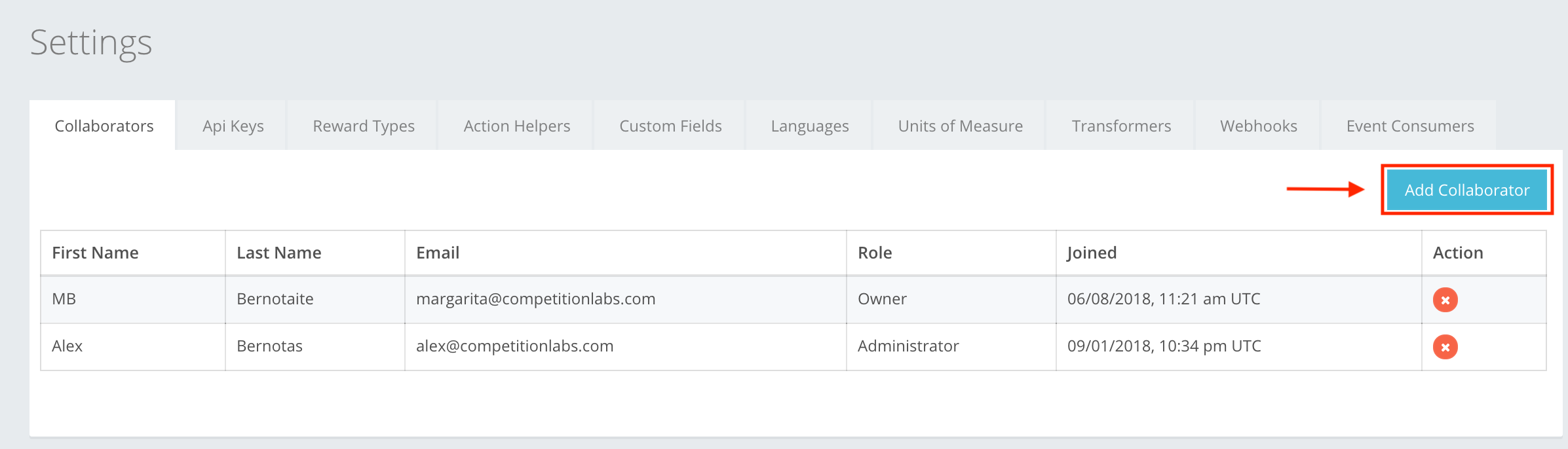
A collaborator in CompetitionLabs is a user that can make changes, add events, etc. on your created account. Depending on their Role, a collaborator can have full or restricted access to the account. To add a collaborator to the list, press Add Collaborator, as shown in the example. You can read about Collaborator creation by navigating to Settings -> Collaborators -> Collaborator creation, or here.
The icon buttons in the Collaborators section are:
 Add Collaborator – lets you add a collaborator that is already created in the CompetitionLabs system or create a new one in this section. A collaborator is added by entering their email.
 Create New User – lets you create a new User that doesn’t exist in the system.
 Create User – lets you create the collaborator you were creating. If the information entered is incorrect, you cannot create, and incorrect fields are highlighted red.
 Close – cancels whatever you are creating. Input will be deleted without warning, will not be restored, and will need to be re-entered.
 Delete – lets you delete the created collaborator from the list of existing collaborators in your space. It does not delete the user from our system.