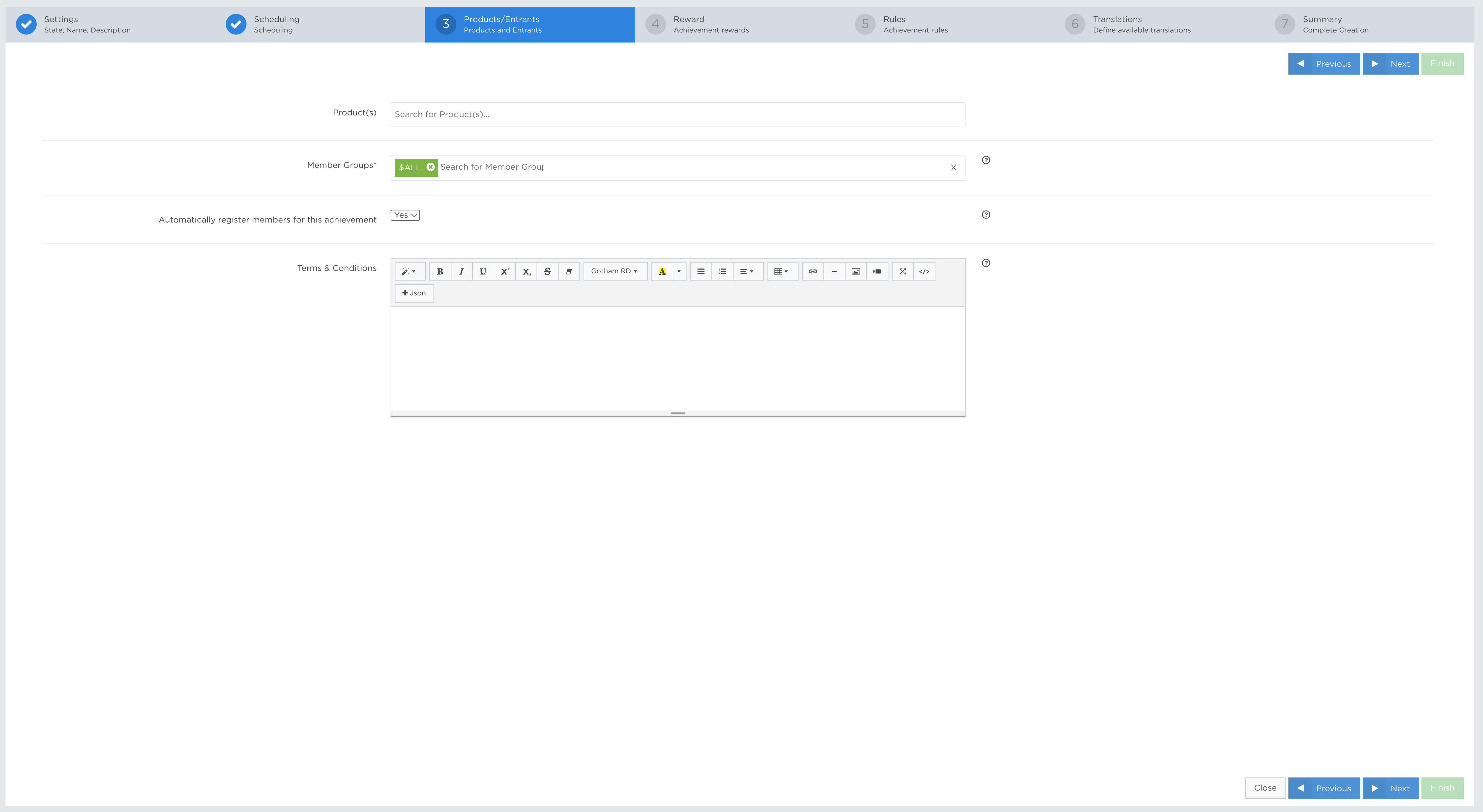
The Entrants settings define who is eligible and can participate in an Achievement.
ENTRANTS fields
EXAMPLES
» Member groups Array [String]Mandatory
| Select groups of entrants that can and cannot participate in the achievement. By not selecting any entrants, the default is ALL registered members. |
» *Should match at least IntegerMandatory**
| *This section appears only when the Should rule is used in the Member groups field. |
» Products Array[String]Optional
| Select products or games to restrict the Achievement so that it calculates progress only from actions generated by those products. Note: The same products must also be selected in the Rules section for this restriction to apply to the Achievement. |
» Automatically register members for this achievement BooleanMandatory
Controls whether players must actively join the Achievement by accepting its terms before participating.
|
» Terms & Conditions StringOptional
| Enter the Achievement terms and conditions displayed to players. This field is optional, editable, and supports up to 50,000 characters. |
APP Example:
| Member groups | ALL |
API Example:
{
   "jsonClass": "Achievement",
   ...
   "memberGroups": [],
   ...
}
APP Example 2:
| Member groups | NewGroup |
API Example 2:
{
   "jsonClass": "Achievement",
   ... "memberGroups":
   [
      NewGroup
   ],
   ...
}