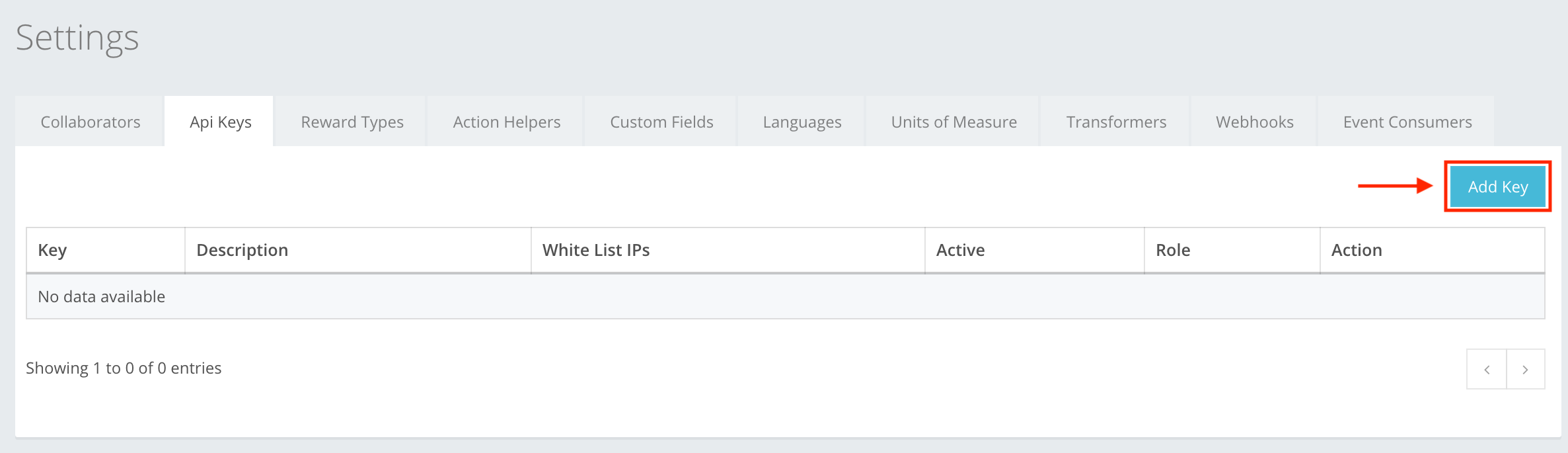
An Application Programming Interface key (API key) is a code passed in by computer programs to call an API to identify the calling program, its developer, or its user to the Web site. API keys are used to track and control how the API is being used. To add an API key to the list, press Add Key, as shown in the example below. You can read about API key creation at Settings -> API Keys -> API Key creation, or here.
The icon buttons used in the API Keys section are:
 Add Key – lets you start creating the API key, which is generated automatically.
 Save – lets you create the API key that you were creating. If information is filled out incorrectly, then you cannot create, and incorrect information will be highlighted in red.
 Close – cancels whatever you are creating. Pressing Close deletes information fill in without warning!
 Edit – lets you edit the information of the created API key.
 Delete – lets you delete the created API key from the list.