Flow templates provide reusable Promotion configurations for both Achievements Advance and Tournaments & Rankings Advance. Instead of rebuilding a familiar setup for every campaign, you can begin with an established template and adapt its fields, audience, schedule, rules and rewards to the Promotion you are creating.
Templates improve consistency across recurring or related campaigns and reduce the time required to configure new Promotions. They also give your team a clear starting point that can be reviewed before campaign-specific changes are applied.
The selection and reuse process is the same in both Advance sections. Open the Flow Templates tab, choose the appropriate template and use it to start a new Achievement or Tournament configuration. Review every pre-populated field before completing the creation wizard.
A Flow Template does not connect Tournaments through the Achievement Flow Builder. For Tournaments, it allows Achievement Blueprints to be connected to a Tournament—for example, to configure Boosters or Entry Promotions that support or control participation in the Tournament. For Achievements, it can preserve supported flow structures and dependency settings.
BUILDING FROM A FLOW TEMPLATE
Building from a Flow Template follows five stages. Begin with the settings shared by the entire flow, then review the Tournament, Achievements and RNG Rewards included in the template. The final stage lets you review the completed configuration and create its Promotions.
1. Shared Settings / 2. Tournament / 3. Achievements / 4. RNG Rewards / 5. Review and create
STEP 1: SHARED SETTINGS
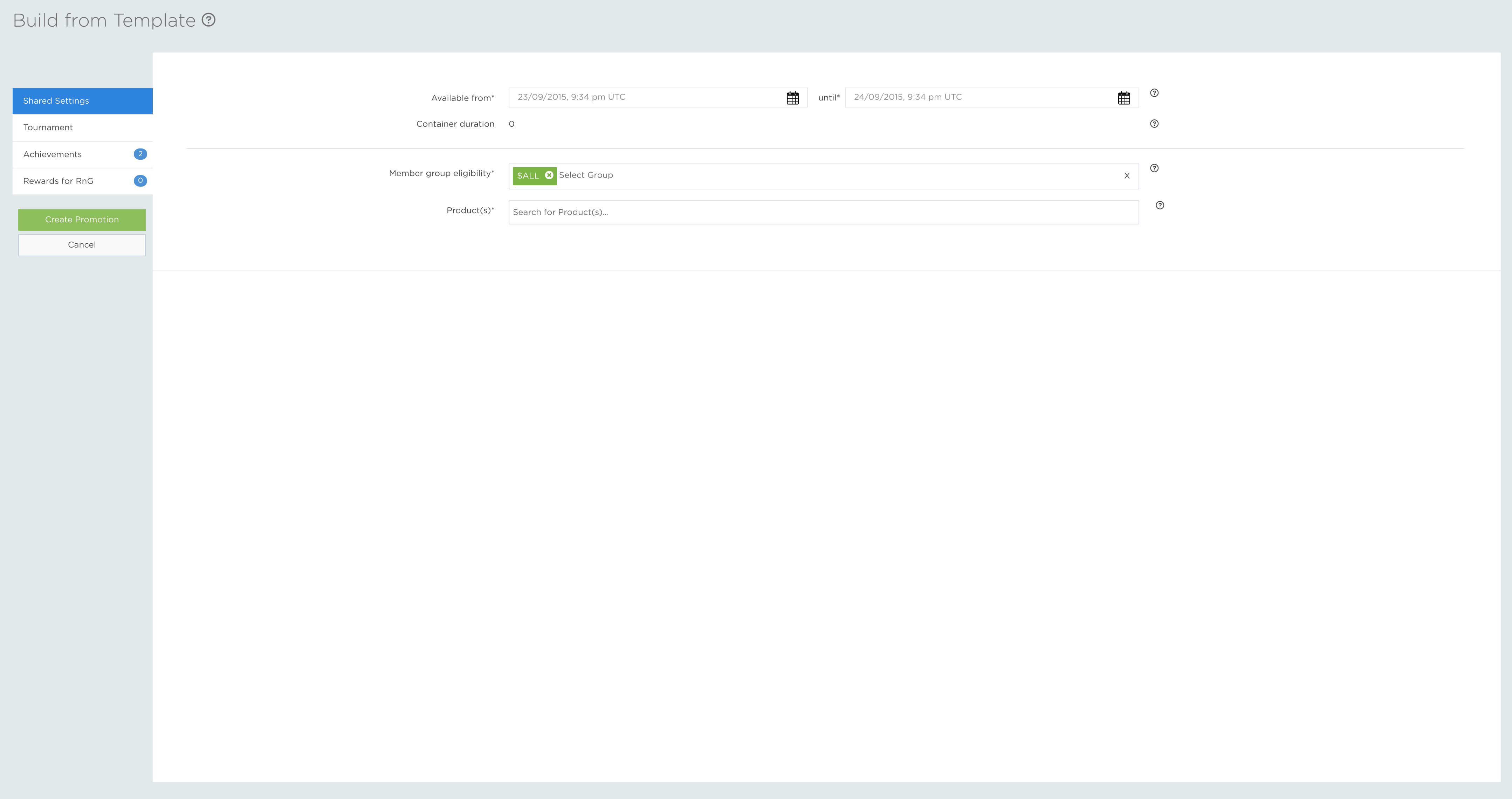
Every Flow Template begins with the Shared Settings tab. Set the Available From and Available Until dates, define the eligible member groups and select the products that can contribute to the Promotions.
These values are shared by the Tournaments and Achievements in the flow. They depend on the audience, schedule and products for the campaign, so they are not fixed by the template. Complete them first before reviewing the individual Promotion configurations.
The values you select are applied to every Promotion in the Flow Template as a starting point. You can still open an individual Tournament or Achievement and adjust its settings where the campaign requires a different value.
STEP 2: TOURNAMENT
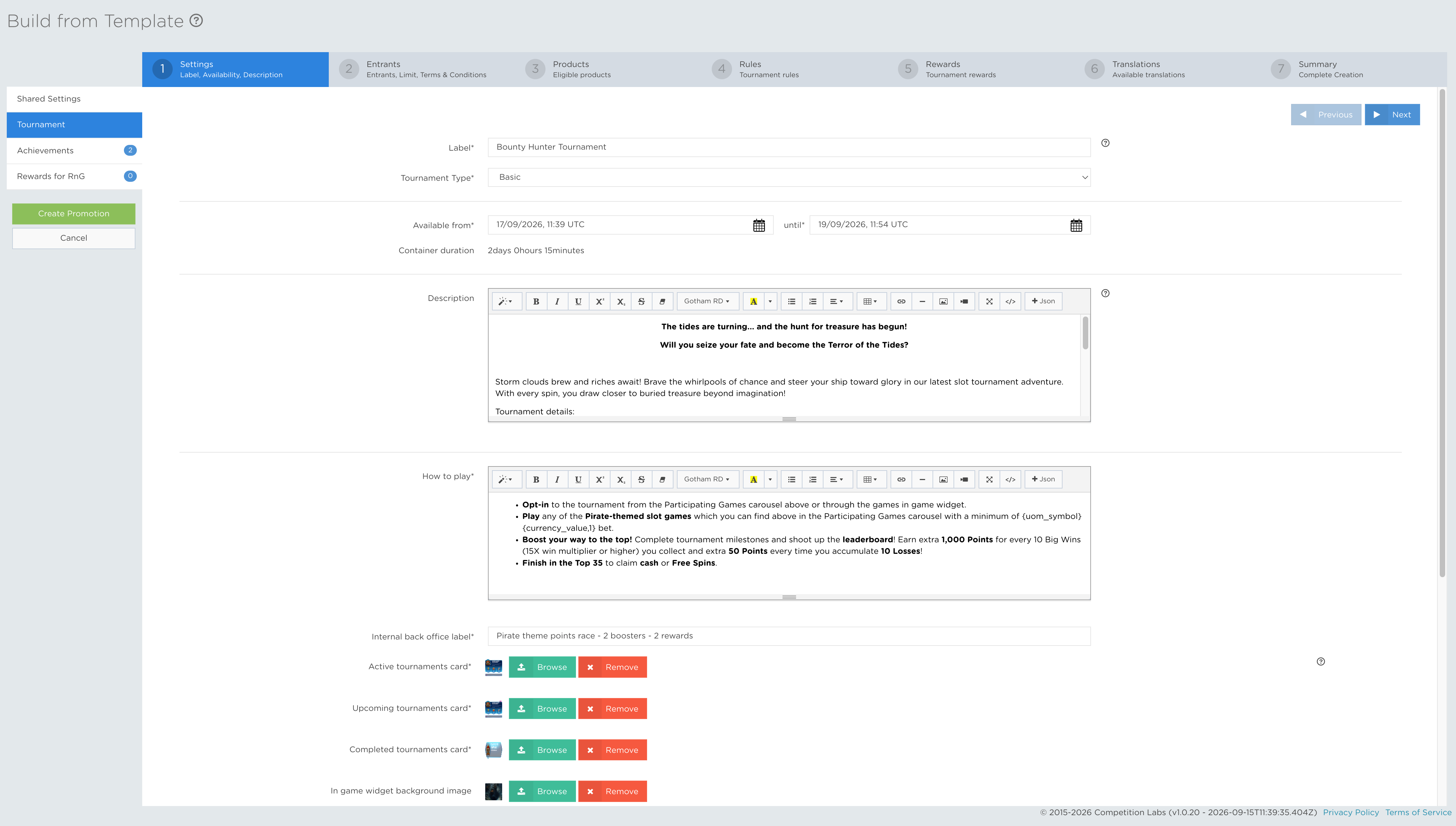
The Tournaments tab is available when the selected Flow Template contains a Tournament. Use it to review and adjust the pre-configured Tournament fields. A Flow Template can create a maximum of one Tournament.
The tab follows the same field order and configuration process as the standard Tournament creation wizard. For a detailed explanation of each step, see the Tournaments creation tutorial.
STEP 3: ACHIEVEMENTS
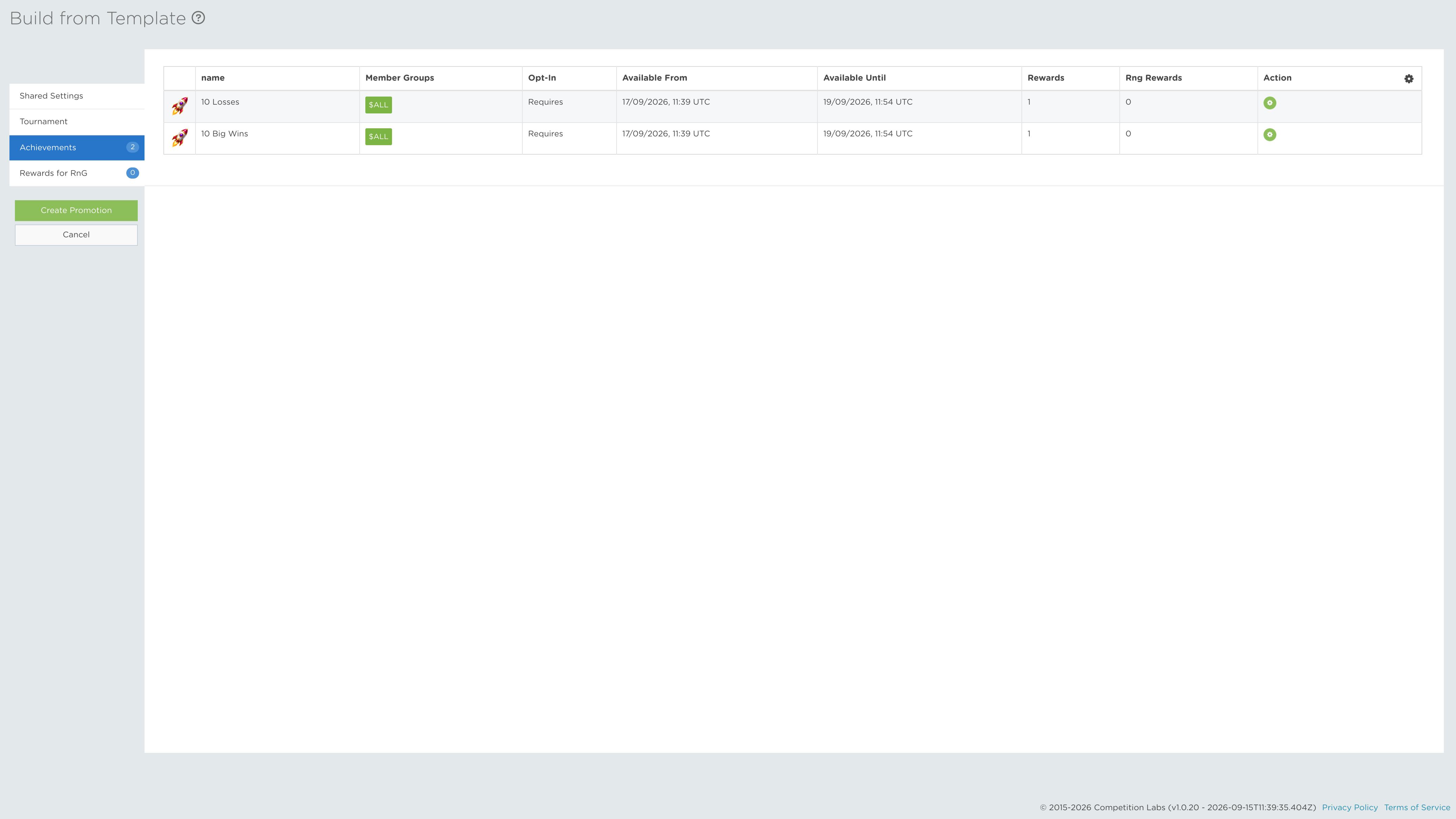
The Achievements tab lets you review and adjust all Achievement Blueprints included in the template. Unlike the Tournament tab, a single Flow Template can contain and create multiple Achievements at the same time.
The dependency structure is already defined by the Flow Template through macros and a hidden configuration parameter. These dependencies cannot be edited within the template wizard. The remaining fields follow the standard Achievement creation process described in the Achievement creation tutorial.
After the Promotions have been created, open the Flow Builder tutorial to learn how to review or adjust the dependency relationships manually.
STEP 4: RNG REWARDS
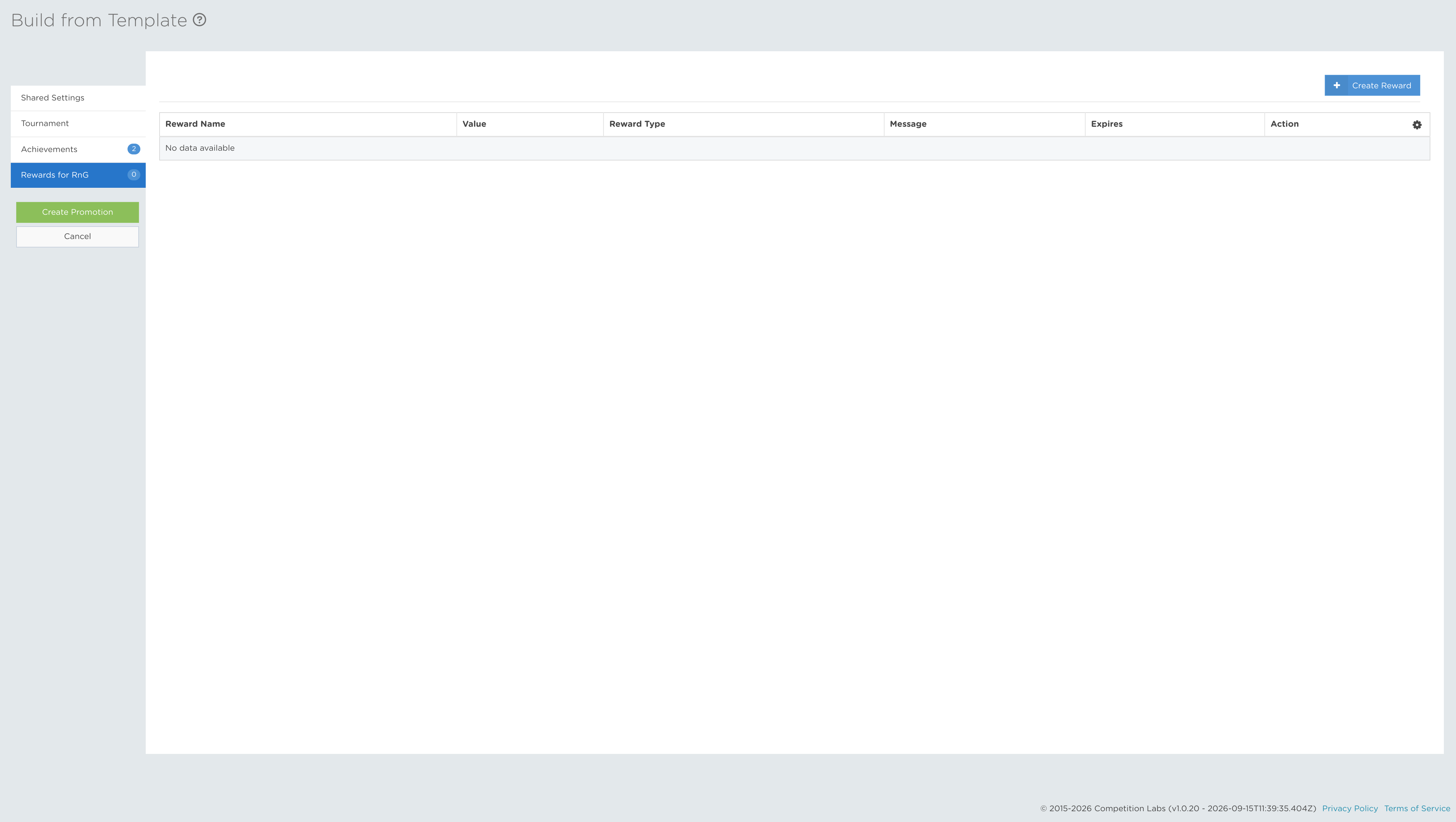
The RNG Rewards tab contains the random-number-generated rewards included in the Flow Template. Review each reward and complete its required fields using the standard reward creation flow. Confirm the reward contents, issue rules and any limits before moving to the final stage.
STEP 5: REVIEW AND CREATE
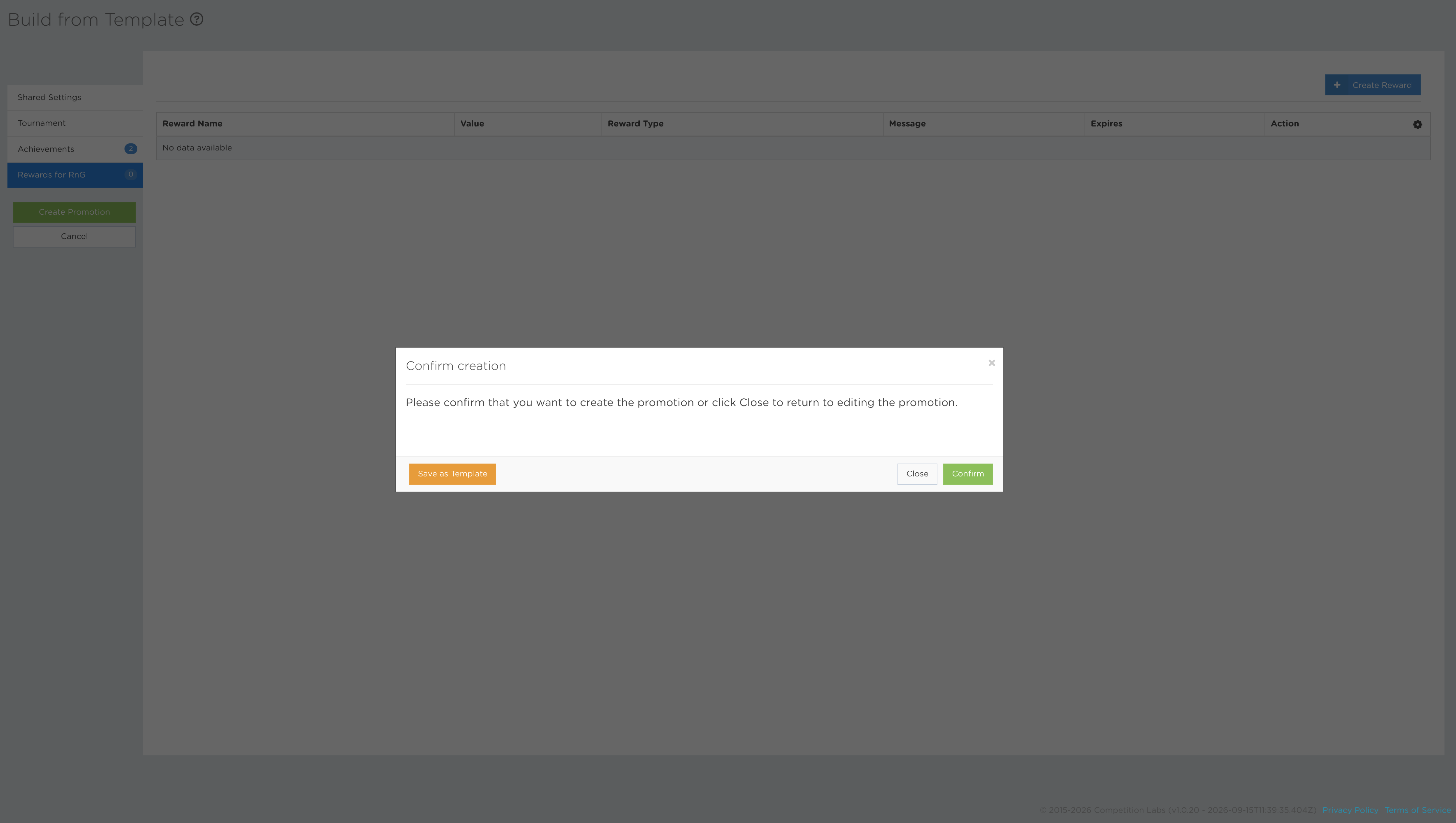
Review the complete flow after making your adjustments. You can save it as a template for future reuse, close the wizard and continue adjusting the configuration later, or select Confirm to create the Promotions.
Once confirmed, each Tournament and Achievement becomes an independently managed Promotion. The completed set cannot then be saved as one Flow Template or edited as a bulk configuration through the template wizard.
← Return to Achievements Advance / Return to Tournaments & Rankings Advance →