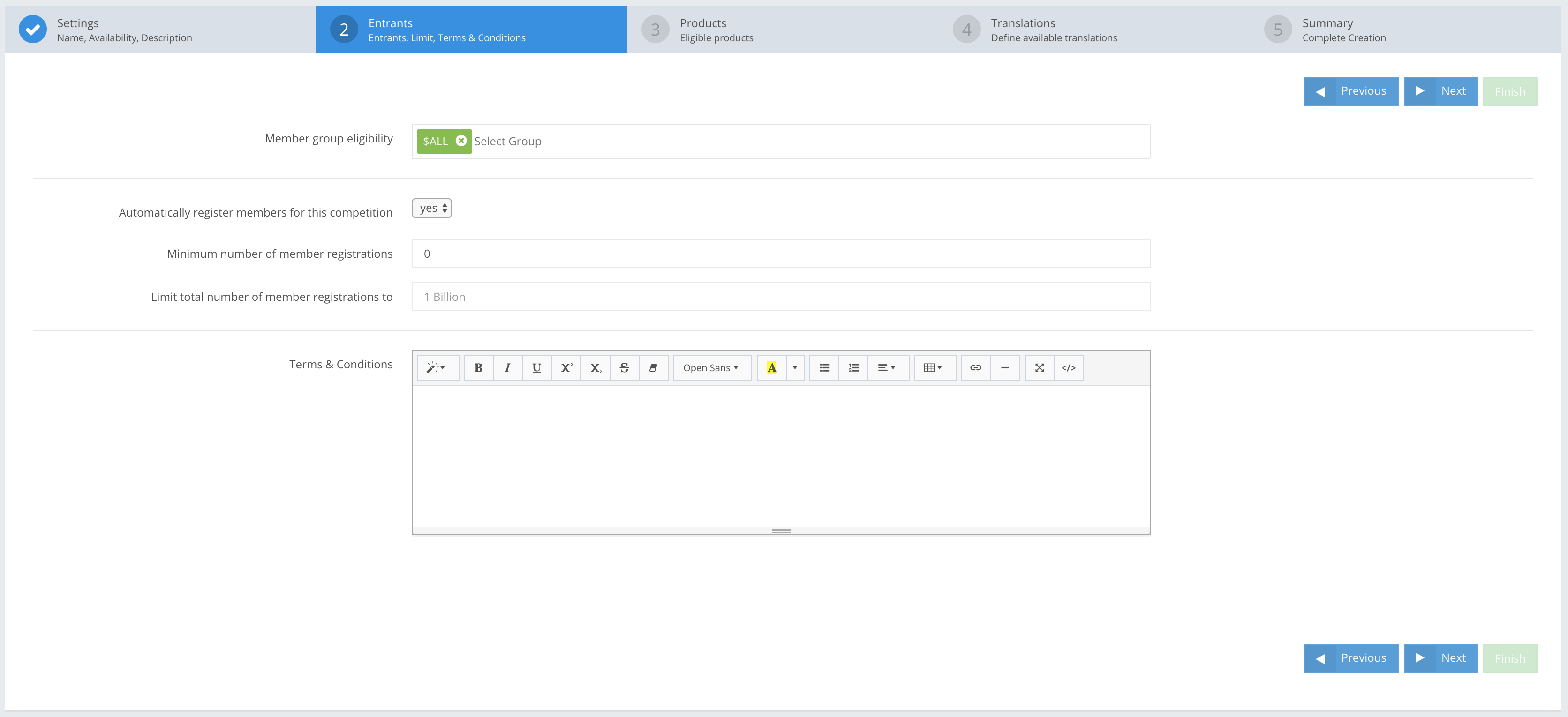
Use Member group eligibility to specify members who can or cannot participate in a Promotion. The default is ALL members are eligible to participate, as shown in the screenshot above.
Member group eligibility content guide:
Member groups are NOT pre-created
To select other groups to be eligible to participate in a Promotion, you can easily create Member Groups. Your creation options are:
| Option Nr. 1 |
|
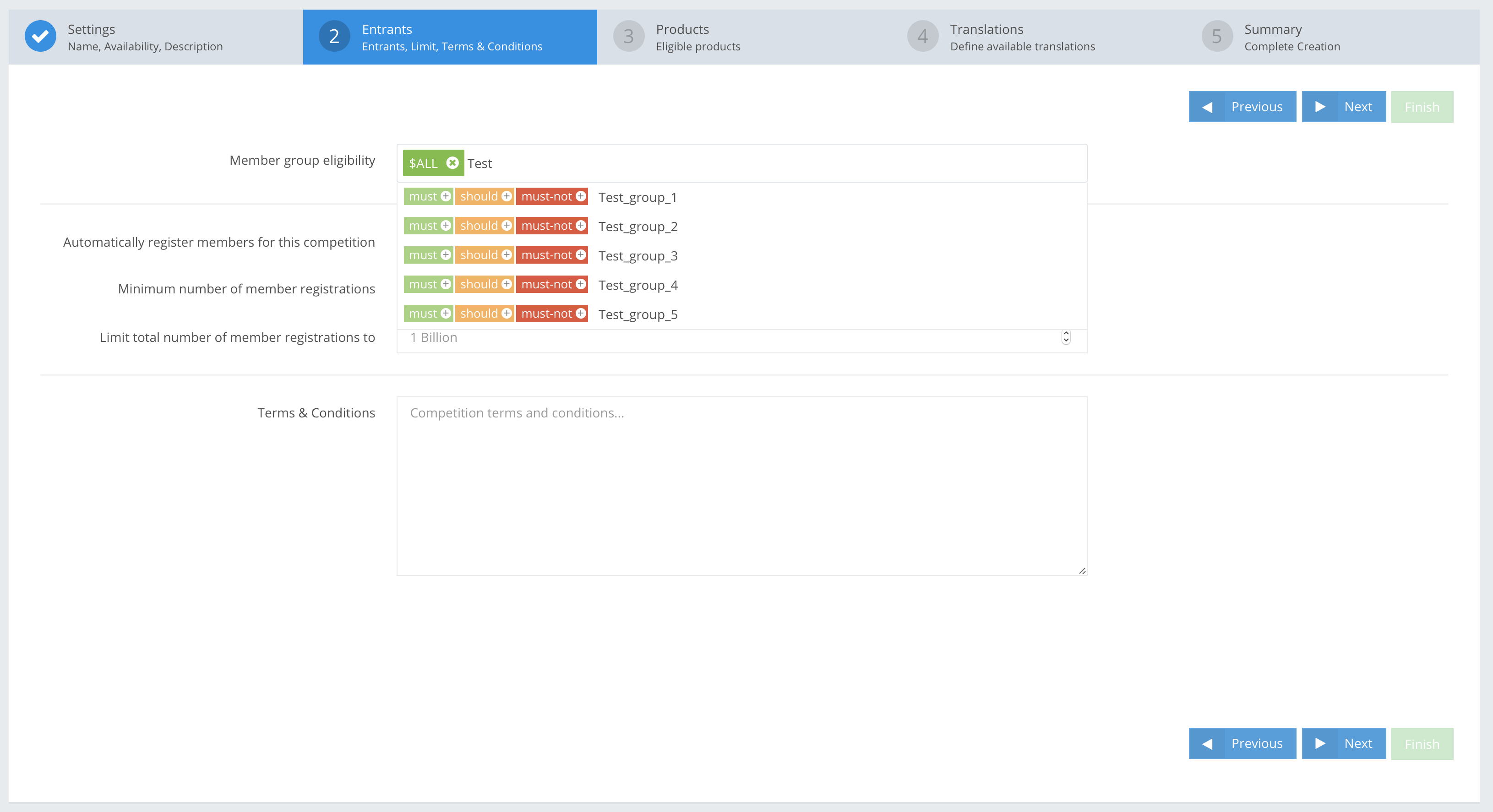
In the CompetitionLabs console, navigate to Members → Members List, where pre-created members can be updated with member groups via CSV file upload (you can read about Member update or creation from CSV file upload here) Or manually editing each member and adding a new group. After the step is completed then in Tournament creation → Step 2: Entrants in “Member group eligibility” field – once you start typing a suggestion of groups available to you will appear.
|
| Option Nr. 2 |
|
Add a new group in Tournament creation → Step 2: Entrants in the Member group eligibility field. When you start typing, a list of suggested groups available for the Promotion will appear. Add the new group with a rule of
|
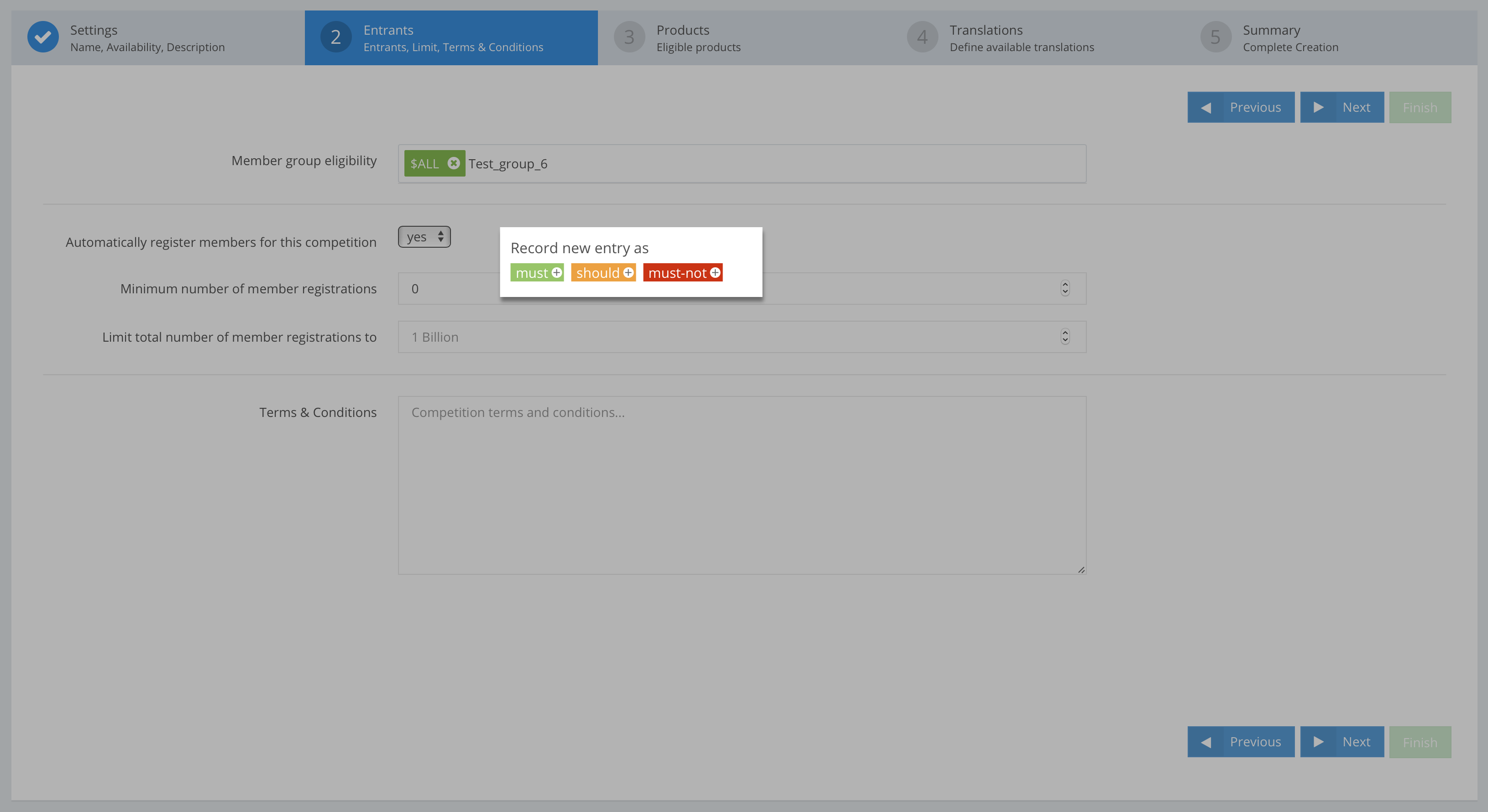 After creating the Promotion and new member groups, you can now add members by navigating to Members → Members List. Existing members can be updated with member groups via CSV file upload (you can read about Member update or creation from CSV file upload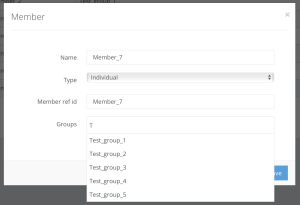
Member groups ARE pre-created
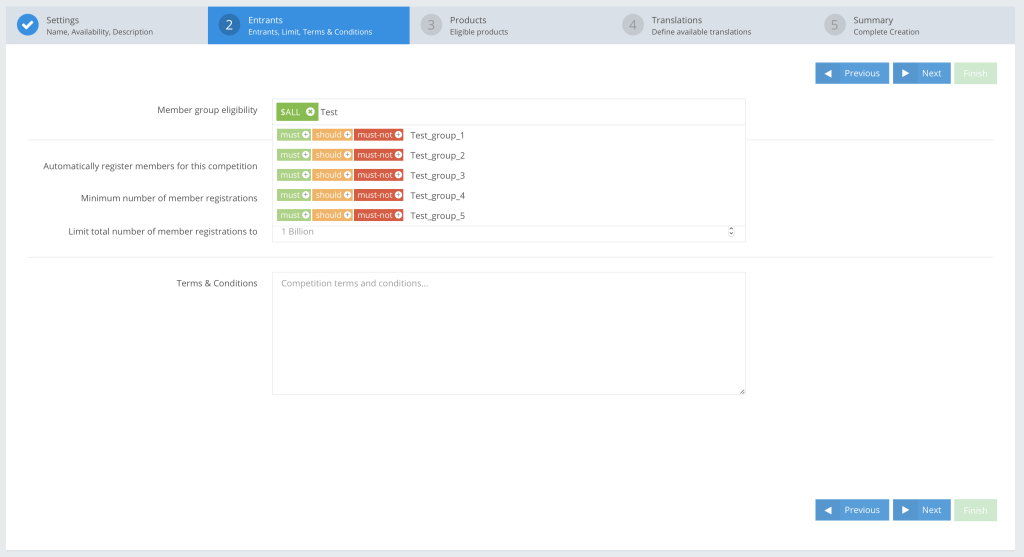 If you updated the members with groups then in the
Tournament creation → Step 2: Entrants in “Member group eligibility” Once you start typing a suggestion of groups available to you will appear. You can select a ,
or a
rule for each group here.
Member group eligibility guide
| MUST |
| The default ‘ALL’ has a OBJECTIVE: Only members in Test groups1 and 2 can participate in the Promotion. Members in only one of these two groups cannot participate.
SITUATION: Three members in different member groups: Member_1 (groups: “Test_group_1”, “Test_group_2”) Member_2 (groups: “Test_group_1”) Member_3 (groups: “Test_group_2”) OUTCOME: Only Member 1 can participate in the promotion because Members 2 and 3 do not meet the requirement of the |

| SHOULD |
| Adding a OBJECTIVE: Only members in Test groups 1, 2 and 3 can participate in the Promotion. As the value of Should match at least 1 has been set to 2, members in any two of the three groups can participate in the Promotion.
SITUATION: Four members registered in different groups: Member_1 (groups: “Test_group_1”, “Test_group_2”, “Test_group_3”) Member_2 (groups: “Test_group_1”) Member_3 (groups: “Test_group_2”) Member_4 (groups: “Test_group_1”, “Test_group_3”) OUTCOME: Only Members 1 and 4 can participate in the Promotion, as the others do not meet the |

| MUST-NOT |
| Use this rule when you do not want specific member groups to participate in a Promotion.
OBJECTIVE: Members registered in Test group1 cannot participate.
SITUATION: Three members in different member groups: Member_1 (groups: “Test_group_1”, “Test_group_2”) Member_2 (groups: “Test_group_1”) Member_3 (groups: “Test_group_2”) OUTCOME: Only Member 3 can participate in the Promotion, as Members 2 and 3 are in |

OBJECTIVE:
To create a Promotion with member group eligibility rules that include – 1 , 3
and 1
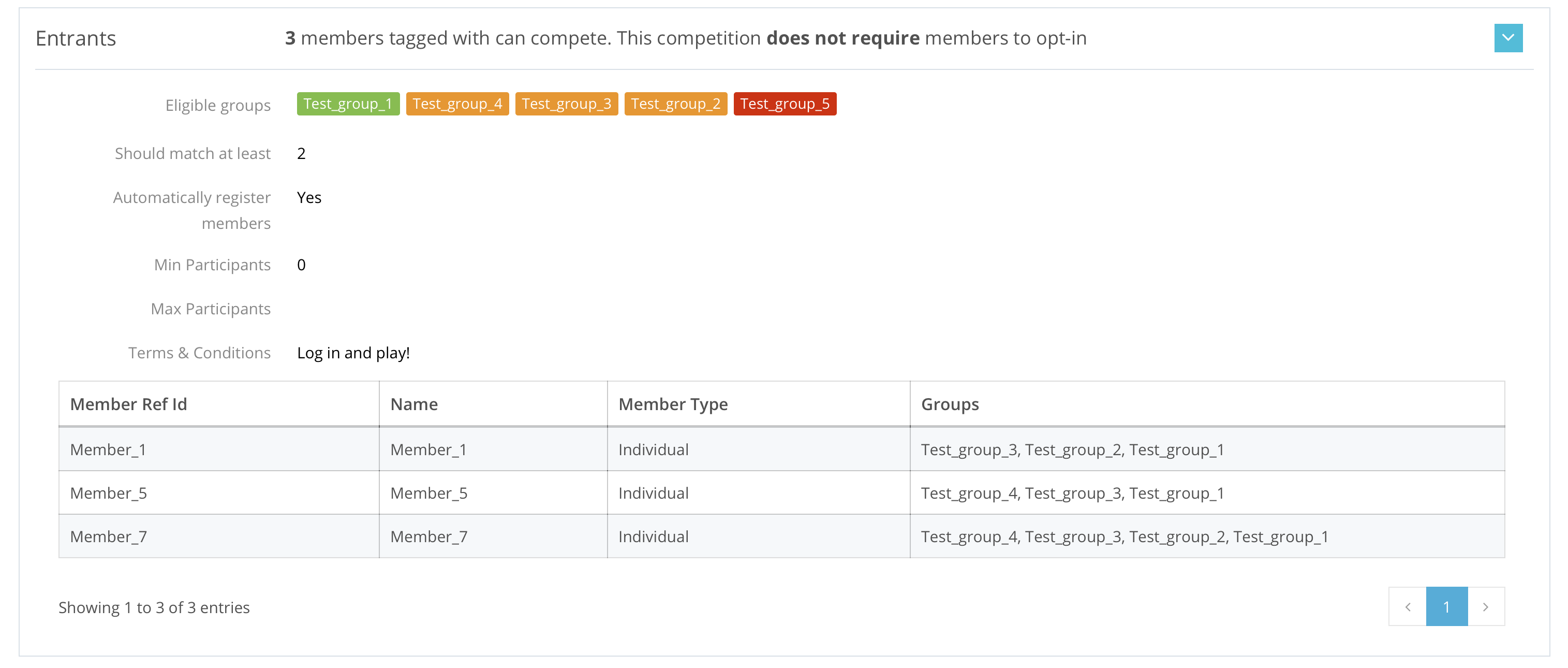
. Seven members in pre-defined member groups will participate in the Promotion. The results are as followed.
SITUATION:
Member creation and grouping – in the screenshot below, we created seven members in different member groups.
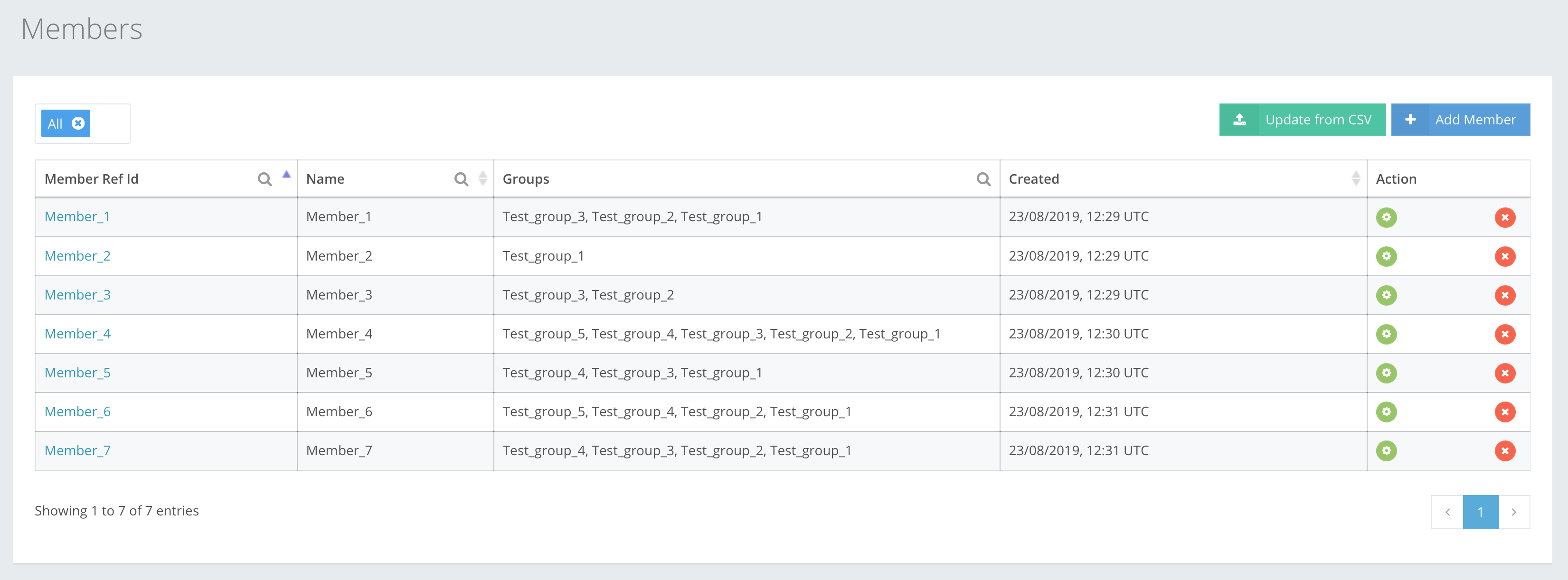
Member_1 : “Test_group_1”, “Test_group_2”, “Test_group_3”
Member_2 : “Test_group_1”
Member_3 : “Test_group_2”, “Test_group_3”
Member_4 : “Test_group_1”, “Test_group_2”, “Test_group_3”, “Test_group_4”, “Test_group_5”
Member_5 : “Test_group_1”, “Test_group_3”, “Test_group_4”
Member_6 : “Test_group_1”, “Test_group_2”, “Test_group_4”, “Test_group_5”
Member_7 : “Test_group_1”, “Test_group_2”, “Test_group_3”, “Test_group_4”
We have five member groups in a Promotion, that can or cannot participate in it, according to the ,
and
rules:

OUTCOME:
The rules define that participants must be members of a group, at least 2 out of 3
groups, and not in a
group. Only three of the seven members meet these criteria and are eligible to participate, i.e. Members 1, 5 and 7.:
| Members | Eligible to participate | Explanation |
| Member_1 | Yes | The member IS eligible because it is in “Test_group_1” that is a |
| Member_2 | No | Is NOT eligible because this member is only in one |
| Member_3 | No | Is NOT eligible because this member does not have the |
| Member_4 | No | Is NOT eligible because this member has a “Test_group_5” group that is in a |
| Member_5 | Yes | The member IS eligible because it is in “Test_group_1” that is a |
| Member_6 | No | Is NOT eligible because this member has a “Test_group_5” group that is in a |
| Member_7 | Yes | The member IS eligible because it is in “Test_group_1” that is a |