This feature lets you implement event metadata that comes into the event stream and generate even more complex competitions and achievements.
1. Event metadata from POST /api/:space/events
First you need an understanding of what kind of metadata you are streaming into the event stream. Here is an example of a post body of an event with metadata included:
[{
	"sourceValue": 1,
	"memberRefId": "tester",
	"entityRefId": "fruits",
	"action": "bet",
	"transactionTimestamp": "2020-03-05T15:15:44.086+0000",
	"metadata":{
        	"currency": "eur",
        	"amount": 100,
        	"device": "computer"
        }

}]
In the example you can see that three different metadata’s of key value pairs are sent to our event stream. These metadata’s will be used in the rules creation of competition or achievement.
2. Custom field creation
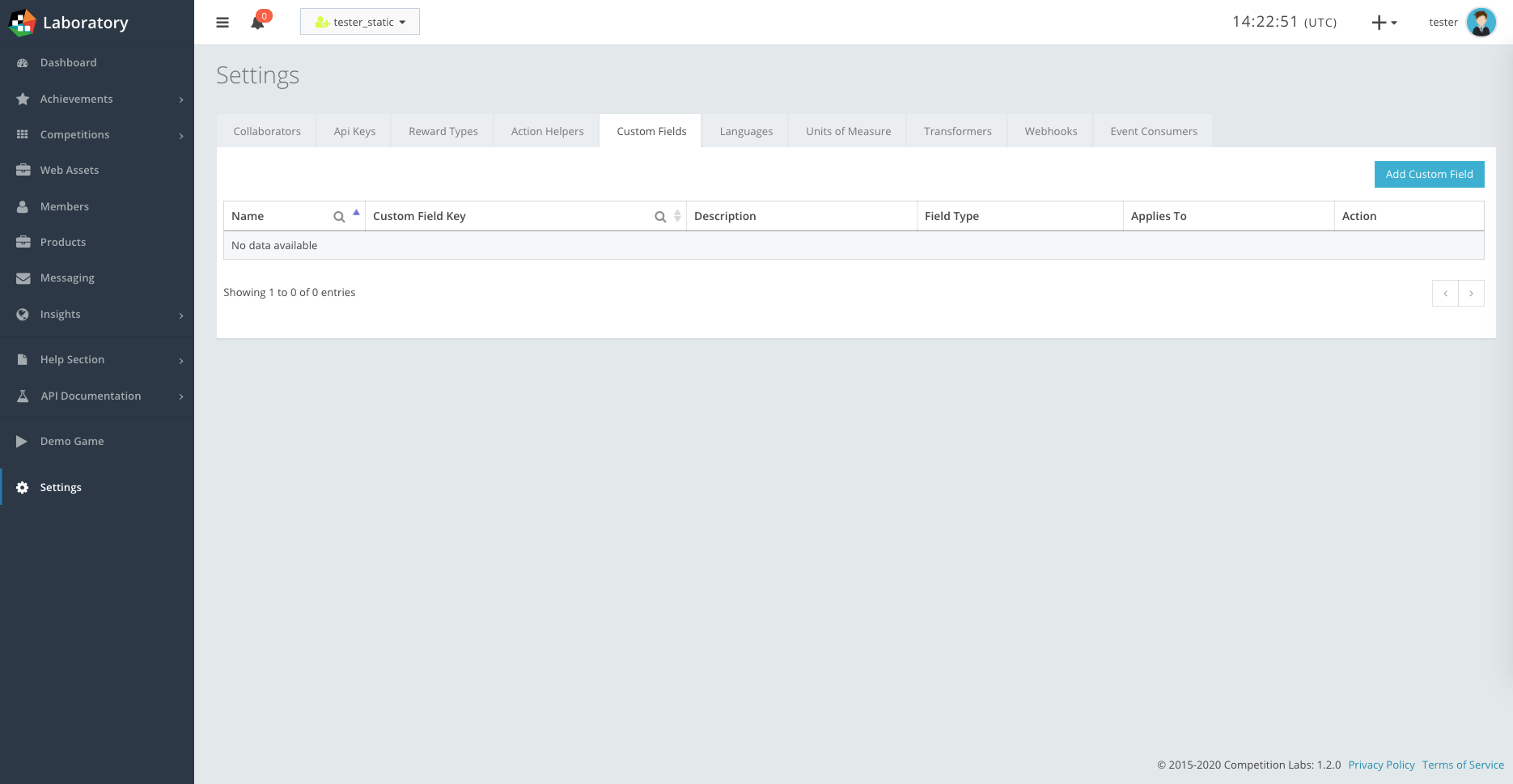
In the CompetitionLabs app navigate to Settings → Custom fields.
By pressing Add Custom Field you will need to create custom fields that represent your metadata that comes into the event stream. The custom field creation example is shown.
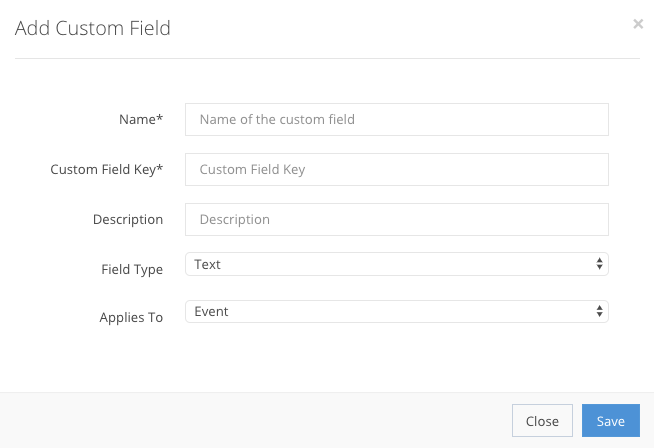
Name StringMandatory| The label of the new custom field. |
Custom Field Key StringMandatory| The custom field key is the original representation of the field, with the name as a label that can be added as a descriptor. |
Description StringOptional| The description of the custom field for the client’s use. |
Field type EnumMandatoryThe type of text that you need for the field (word, number etc.).
|
Applies to EnumMandatory| The section of the CompetitionLabs platform to which this custom field applies. |
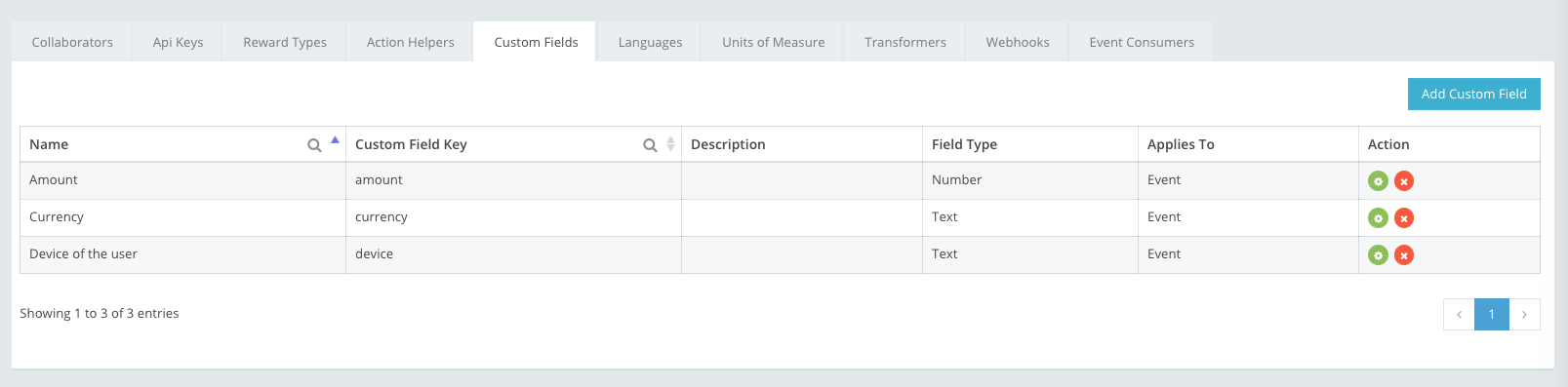
In our case three different custom fields have to be created. An example below is shown how the custom fields will look after creation.
3. Rules creation
Custom fields will be used in the rules creation:
ACHIEVEMENT RULES
Achievement Rules section can be found by navigating to Achievement creation → Step 6: Achievement Rules.
CONTEST RULES
Competition Rules section can be found by navigating to New competition – Quick → Step 4: Simple Competition Rules
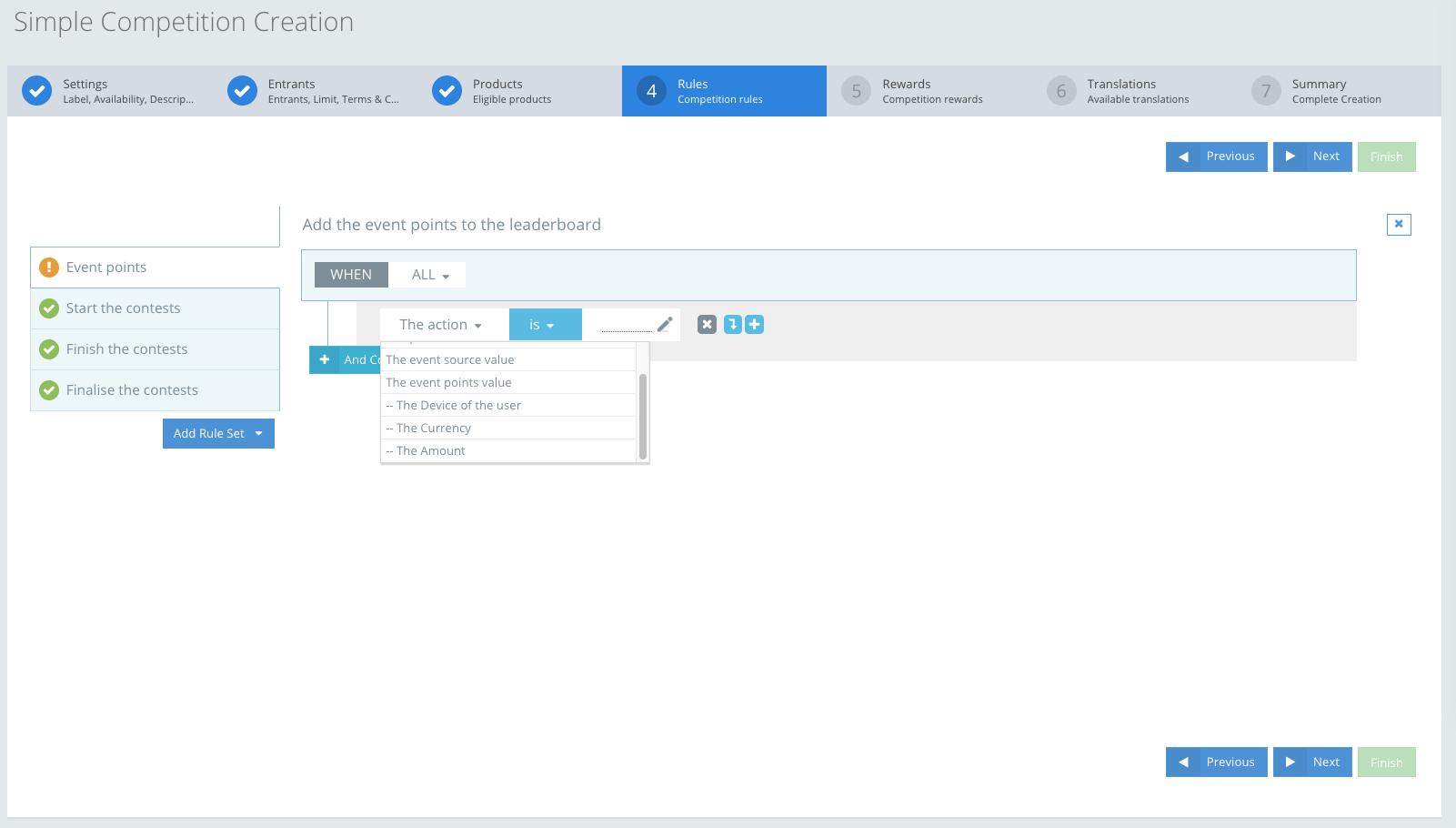
An example is shown of the rules in the competition creation section. The custom fields that were pre-created in our previous step is populated here in the rules Fact. Here you can see that the points will be calculated if any of the metadata is selected as the Fact of the rule.
EXAMPLE If “The currency” is selected as the Fact, the operator is selected as “is” and the constant is inserted as the “eur” then every event’s source value will be counted in the leaderboard that has this metadata“currency”: “eur in their event body.
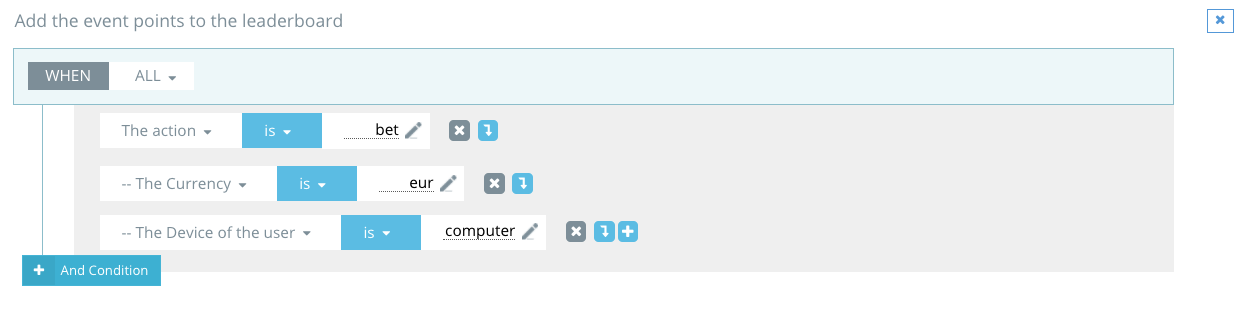
Here is a basic example of an action “Bet” and metadata combined together.
If a Player is sending event data and the action that is being sent is “bet”, the metadata key and value pair is “currency”: “eur” and “device”: “computer” that means that the points will be calculated only then. If any of these 3 fields are excluded – then the points will not be calculated.
EXAMPLE A correct example of a post body that will calculate points in the competition leaderboard:
[{
	"sourceValue": 10,
	"memberRefId": "tester",
	"entityRefId": "fruits",
	"action": "bet",
	"transactionTimestamp": "2020-03-05T15:15:44.086+0000",
	"metadata":{
        	"currency": "eur",
        	"amount": 100,
        	"device": "computer"
        }

}]
In this example the member “tester” will have 10 points (that is only if the products adjustment factor is set to 1) because the sourceValue that was sent is 10 and all the rules facts were present in the post body.
EXAMPLE An example of a post body that will NOT calculate points in the competition leaderboard:
[{
	"sourceValue": 10,
	"memberRefId": "tester",
	"entityRefId": "fruits",
	"action": "bet",
	"transactionTimestamp": "2020-03-05T15:15:44.086+0000",
	"metadata":{
        	"currency": "dol",
        	"amount": 100,
        	"device": "computer"
        }

}]
In this example the member “tester” will not receive points in the leaderboard because the rules “The Currency is eur” is incorrect. This member sent a post body of “dol” in the metadata “currency”.
If you have any more questions about event metadata and custom fields please contact us.